
Follow the transformation
State the row grain before the operation.
Identify key columns and test their uniqueness.
Perform the reshape/join/concatenation.
Validate Join Cardinality changes the shape or composition of tabular data.
Validate Join Cardinality changes the shape or composition of tabular data. The central idea is to preserve the meaning of an observation while moving rows/columns or combining tables.
Validate Join Cardinality matters because combining and reshaping tables changes how observations are represented. Join cardinality and row grain must be preserved deliberately to avoid duplicated measures, dropped entities or invalid totals.
Treat this as a sequence of observable decisions rather than one opaque command. Stage 1: State the row grain before the operation. Stage 2: Identify key columns and test their uniqueness. Stage 3: Perform the reshape/join/concatenation. Final checkpoint: Verify one or two records manually from source to output.
State the row grain before the operation.
Identify key columns and test their uniqueness.
Perform the reshape/join/concatenation.
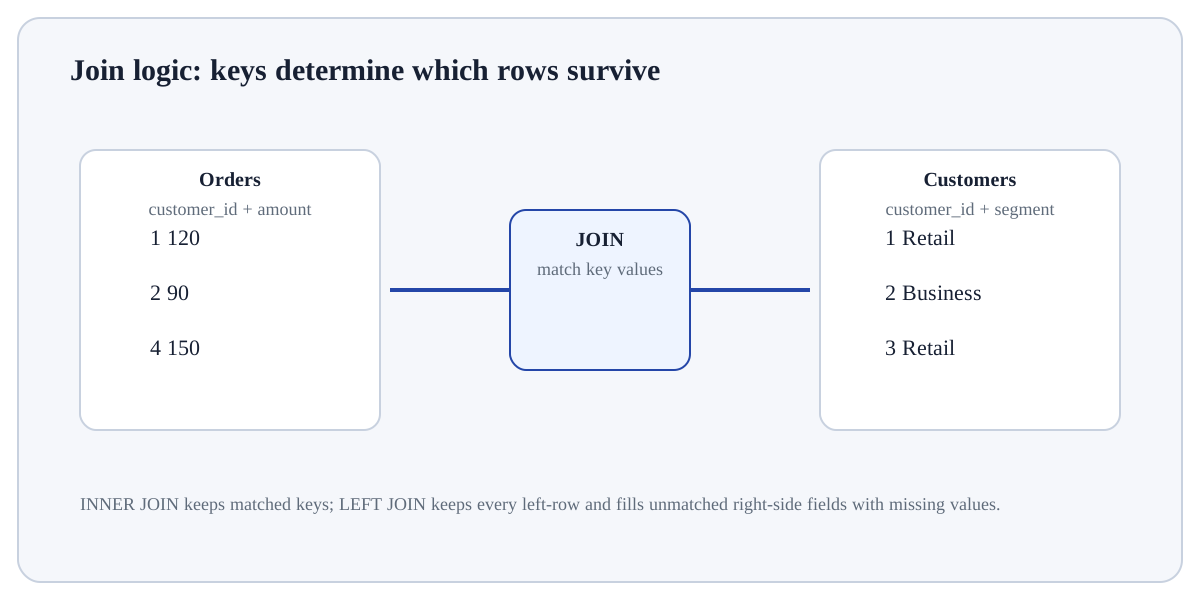
State the row grain before the operation. For Validate Join Cardinality, identify the exact state before this stage, the operation or rule applied here, and the observable state afterwards so the mechanism remains inspectable.
# Step 1 — Import the module so its functions/classes are available to the rest of this example.
import pandas as pd
# Step 2 — Construct `orders` as a tabular object with named columns for inspectable analysis.
orders = pd.DataFrame({"order_id":[1,2],"customer_id":[10,11]})
# Step 3 — Construct `customers` as a tabular object with named columns for inspectable analysis.
customers = pd.DataFrame({"customer_id":[10,11],"segment":["A","B"]})
# Step 4 — Combine tables by matching the declared key columns; verify join cardinality after this step.
merged = orders.merge(customers,on="customer_id",validate="many_to_one")
# Step 5 — Display the current value explicitly so the result/state can be inspected during execution.
print(len(orders), len(merged))2 2 validate="many_to_one" checks that customer_id is unique on the right table.
For Validate Join Cardinality, trace representative source rows/columns into the result and reconcile row counts, dtypes, keys or missing values that the operation could change.
ConcatenateStack tables by rows or columns without key matching.Merge/joinMatch rows using keys.MeltWide → long by turning column names into values.PivotLong → wide using key/value structure.GroupbySplit by keys and aggregate/transform within groups.Use Validate Join Cardinality when the data are naturally tabular and row grain, column meaning, keys and dtypes can be stated explicitly.
Reconsider the operation if row identity/grain is unclear, join keys are not validated, chained transformations hide state, or the task is better expressed with a simpler table operation.
Build a tiny, inspectable example of Validate Join Cardinality. First state the row grain before the operation. Then identify key columns and test their uniqueness. Write the expected result before running it, and explain one condition that would make the result misleading or invalid.
Before trusting a result from Validate Join Cardinality, which check provides the strongest evidence that you understand and applied it correctly?
Step 1State the row grain before the operation.Step 2Identify key columns and test their uniqueness.Step 3Perform the reshape/join/concatenation.Step 4Recheck row counts, key uniqueness and missingness.