
Follow the transformation
Define every learned preprocessing step.
Chain steps in execution order.
Fit the whole pipeline on training data.
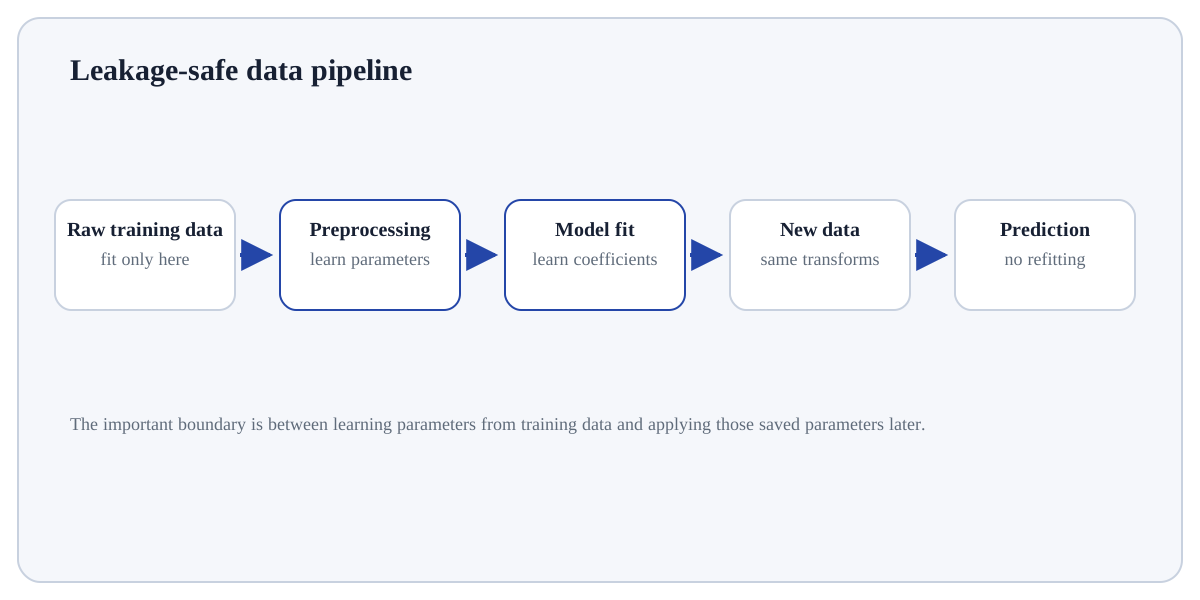
A modelling pipeline is an ordered, fitted procedure that transforms raw features and then produces predictions.
A modelling pipeline is an ordered, fitted procedure that transforms raw features and then produces predictions. In data science, the pipeline is the unit that should be cross-validated, persisted and reused at inference time.
If preprocessing is performed outside the pipeline, it is easy to leak validation information, forget a transformation at deployment, or apply inconsistent column logic to new data.
Treat this as a sequence of observable decisions rather than one opaque command. Stage 1: Define every learned preprocessing step. Stage 2: Chain steps in execution order. Stage 3: Fit the whole pipeline on training data. Final checkpoint: Persist and deploy the fitted pipeline rather than the estimator alone.
Define every learned preprocessing step.
Chain steps in execution order.
Fit the whole pipeline on training data.
Define every learned preprocessing step. This is an input-preparation stage for Pipelines. Verify the relevant type, shape, units, keys, missingness or assumptions before later steps depend on them.
# Step 1 — Import only the named objects needed by the following steps, keeping dependencies explicit.
from sklearn.pipeline import Pipeline
# Step 2 — Import only the named objects needed by the following steps, keeping dependencies explicit.
from sklearn.impute import SimpleImputer
# Step 3 — Import only the named objects needed by the following steps, keeping dependencies explicit.
from sklearn.preprocessing import StandardScaler
# Step 4 — Import only the named objects needed by the following steps, keeping dependencies explicit.
from sklearn.linear_model import LogisticRegression
# Step 5 — Create `pipe` as the scaling object; its parameters will be learned from training data.
pipe = Pipeline([("impute", SimpleImputer(strategy="median")), ("scale", StandardScaler()), ("model", LogisticRegression())])
# Step 6 — Display the current value explicitly so the result/state can be inspected during execution.
print(pipe)The same imputation and scaling learned on training data are automatically applied before every prediction.
For Pipelines, trace representative source rows/columns into the result and reconcile row counts, dtypes, keys or missing values that the operation could change.
Standalone estimatorAssumes features are already in the correct representation.PipelineOwns preprocessing + estimator as one reproducible procedure.Manual notebook sequenceCan hide state and make inference inconsistent.Use Pipelines when the model/analysis requires a deliberate representation of raw features and the transformation can be fit without leaking future or held-out information.
Avoid transformations that are unnecessary for the chosen model, cannot be reproduced at inference time, or learn from data that should remain held out.
Build a tiny, inspectable example of Pipelines. First define every learned preprocessing step. Then chain steps in execution order. Write the expected result before running it, and explain one condition that would make the result misleading or invalid.
Before trusting a result from Pipelines, which check provides the strongest evidence that you understand and applied it correctly?
Step 1Define every learned preprocessing step.Step 2Chain steps in execution order.Step 3Fit the whole pipeline on training data.Step 4Evaluate the whole pipeline on held-out data.