
Follow the transformation
Partition columns by semantic type or preprocessing need.
Define numeric and categorical transformers separately.
Combine them with ColumnTransformer.
A scikit-learn Pipeline chains sequential transformations with an estimator, while ColumnTransformer applies different preprocessing to different feature subsets before combining them.
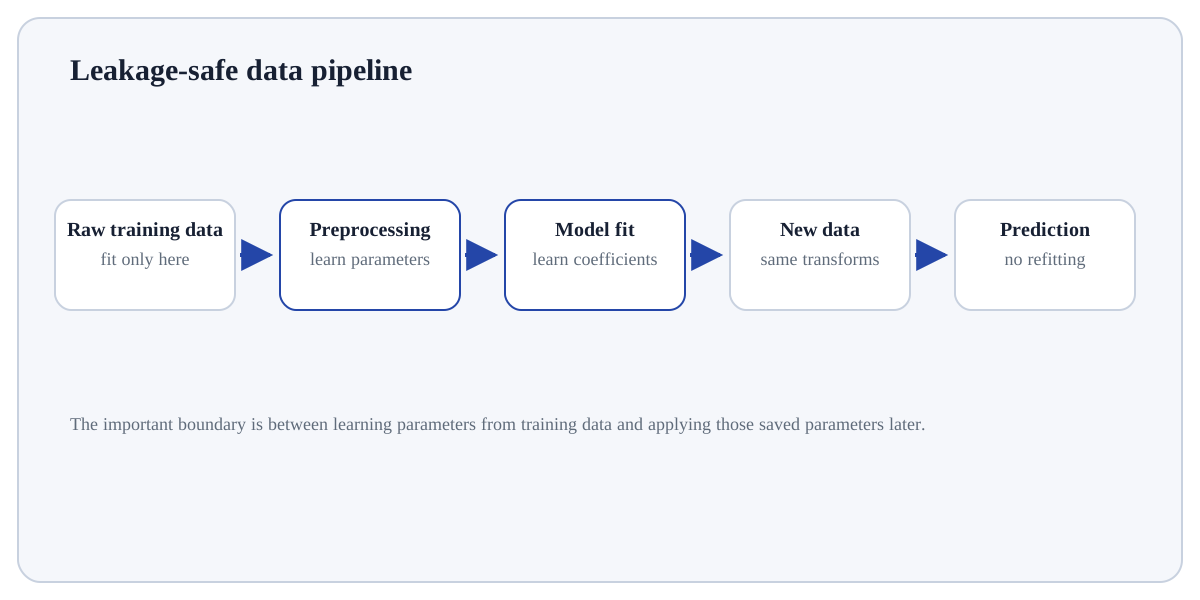
A scikit-learn Pipeline chains sequential transformations with an estimator, while ColumnTransformer applies different preprocessing to different feature subsets before combining them. Together they make heterogeneous preprocessing reproducible and leakage-safe.
Real datasets mix numeric, categorical and other columns. Keeping their transformations inside one fitted object ensures training, validation and inference use the same logic and learned parameters.
Treat this as a sequence of observable decisions rather than one opaque command. Stage 1: Partition columns by semantic type or preprocessing need. Stage 2: Define numeric and categorical transformers separately. Stage 3: Combine them with ColumnTransformer. Final checkpoint: Fit the full pipeline only on training data and reuse it unchanged for inference.
Partition columns by semantic type or preprocessing need.
Define numeric and categorical transformers separately.
Combine them with ColumnTransformer.
Partition columns by semantic type or preprocessing need. For Pipelines and Columntransformer, identify the exact state before this stage, the operation or rule applied here, and the observable state afterwards so the mechanism remains inspectable.
# Step 1 — Import only the named objects needed by the following steps, keeping dependencies explicit.
from sklearn.compose import ColumnTransformer
# Step 2 — Import only the named objects needed by the following steps, keeping dependencies explicit.
from sklearn.pipeline import Pipeline
# Step 3 — Import only the named objects needed by the following steps, keeping dependencies explicit.
from sklearn.preprocessing import OneHotEncoder, StandardScaler
# Step 4 — Import only the named objects needed by the following steps, keeping dependencies explicit.
from sklearn.linear_model import LogisticRegression
# Step 5 — Create `pre` as the scaling object; its parameters will be learned from training data.
pre = ColumnTransformer([("num", StandardScaler(), ["age","income"]), ("cat", OneHotEncoder(handle_unknown="ignore"), ["region"])])
# Step 6 — Instantiate `pipe` with the chosen algorithm/configuration before fitting it to data.
pipe = Pipeline([("pre", pre), ("model", LogisticRegression())])
# Step 7 — Display the current value explicitly so the result/state can be inspected during execution.
print(pipe)Numeric and categorical columns are transformed appropriately, then passed into one estimator through a single fitted pipeline.
For Pipelines and Columntransformer, trace representative source rows/columns into the result and reconcile row counts, dtypes, keys or missing values that the operation could change.
PipelineSequential steps applied to the same evolving feature matrix.ColumnTransformerParallel transformations applied to selected columns, then concatenated.Manual preprocessingEasy to make train/test logic inconsistent or leaky.Use Pipelines and Columntransformer when the model/analysis requires a deliberate representation of raw features and the transformation can be fit without leaking future or held-out information.
Avoid transformations that are unnecessary for the chosen model, cannot be reproduced at inference time, or learn from data that should remain held out.
Build a tiny, inspectable example of Pipelines and Columntransformer. First partition columns by semantic type or preprocessing need. Then define numeric and categorical transformers separately. Write the expected result before running it, and explain one condition that would make the result misleading or invalid.
Before trusting a result from Pipelines and Columntransformer, which check provides the strongest evidence that you understand and applied it correctly?
Step 1Partition columns by semantic type or preprocessing need.Step 2Define numeric and categorical transformers separately.Step 3Combine them with ColumnTransformer.Step 4Attach the estimator as the final Pipeline step.