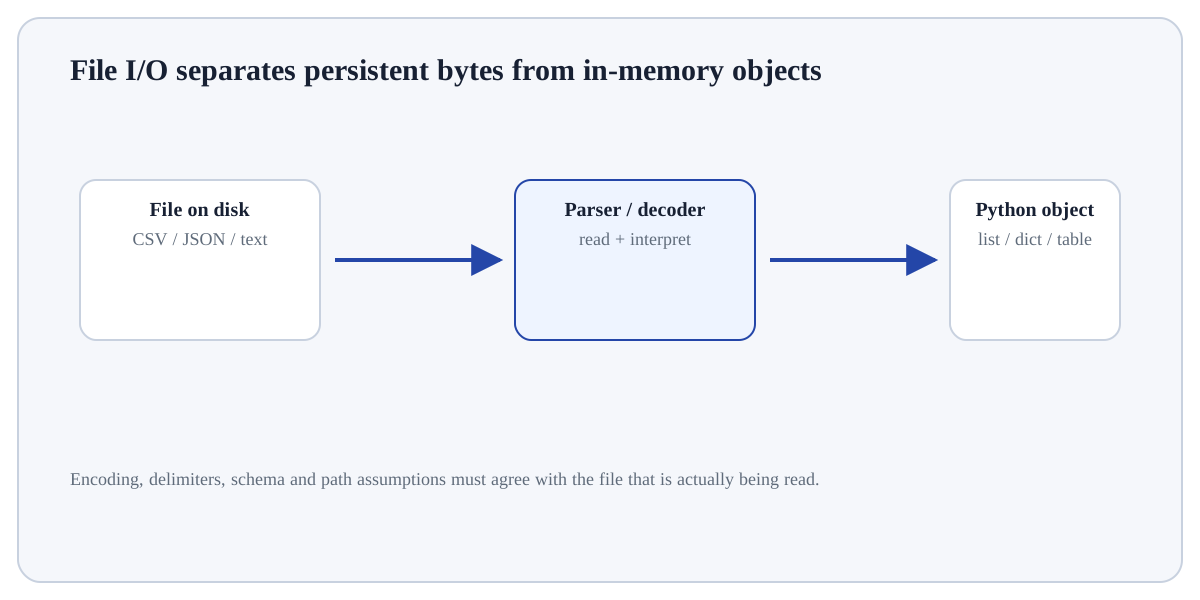
Read CSV Data concerns moving information between Python's in-memory objects and persistent files.
ConceptWorked examplePracticeKnowledge check
Textbook walkthrough
What Read CSV Data actually means
Read CSV Data concerns moving information between Python's in-memory objects and persistent files. File handling requires explicit decisions about path, format, encoding, schema and what should happen when data are missing or malformed.
Read CSV Data matters because pandas is built around labelled rows and columns. Table operations preserve or change row grain, index alignment, dtypes and missingness, so each transformation must be understood as a change to a data model rather than just a command.
Deeper walkthrough
Read Read CSV Data as a mechanism, not a recipe
Treat this as a sequence of observable decisions rather than one opaque command. Stage 1: Resolve the path with pathlib instead of assuming the working directory. Stage 2: Open text with an explicit encoding such as UTF-8 when portability matters. Stage 3: Parse structured formats with format-aware tools rather than manual string splitting. Final checkpoint: Write outputs to a deliberate location and avoid overwriting source data unless that is intended.
Mechanism
Follow the transformation
Resolve the path with pathlib instead of assuming the working directory.
Open text with an explicit encoding such as UTF-8 when portability matters.
Parse structured formats with format-aware tools rather than manual string splitting.
Evidence
Know what would convince you
Compare row/column counts, dtypes and missing values before and after the operation.
Trace a few representative rows or one group manually from source values to result.
Useful distinctionText: Raw character stream; structure is application-specific.
Visual demonstration: use the diagram to trace the main objects and state changes involved in Read CSV Data.
Click a stage to inspect what happens, what changes, and what should be checked before moving on.
Stage 1
Resolve the path with pathlib instead…
Resolve the path with pathlib instead of assuming the working directory. For Read CSV Data, identify the exact state before this stage, the operation or rule applied here, and the observable state afterwards so the mechanism remains inspectable.
State focus: identify exactly what changed at this stage and what observable evidence confirms that change.
How it works
Trace the mechanism step by step
Resolve the path with pathlib instead of assuming the working directory.
Open text with an explicit encoding such as UTF-8 when portability matters.
Parse structured formats with format-aware tools rather than manual string splitting.
Validate required columns/fields before analysis.
Write outputs to a deliberate location and avoid overwriting source data unless that is intended.
Worked demonstration
Make the concept concrete
Demonstration
Python example
# Step 1 — Import only the named objects needed by the following steps, keeping dependencies explicit.
from pathlib import Path
# Step 2 — Import the module so its functions/classes are available to the rest of this example.
import csv

# Step 3 — Compute the right-hand expression and store its result in `path` for the next step.
path = Path("sales.csv")
# Example reader pattern; validate columns before using rows.
# Step 4 — Open/manage this resource with a context manager so cleanup happens automatically when the block ends.
with path.open(encoding="utf-8", newline="") as fh:
    # Step 5 — Compute the right-hand expression and store its result in `rows` for the next step.
    rows = list(csv.DictReader(fh))
# Step 6 — Compute the right-hand expression and store its result in `required` for the next step.
required = {"product", "sales"}
# Step 7 — Evaluate this condition and execute the indented branch only when the condition is true.
if rows and not required <= rows[0].keys():
    # Step 8 — Raise an explicit exception to signal that the required condition or input contract was violated.
    raise ValueError("required columns are missing")
# Step 9 — Display the current value explicitly so the result/state can be inspected during execution.
print("rows:", len(rows))
Expected / illustrative result
rows: <number of data rows in sales.csv>
Interpret the result.
For Read CSV Data, trace representative source rows/columns into the result and reconcile row counts, dtypes, keys or missing values that the operation could change.
Distinctions & related ideas
Know what this is — and what it is not
TextRaw character stream; structure is application-specific.
CSVTabular rows/columns; types are not stored robustly and quoting must be respected.
JSONNested objects/arrays with strings, numbers, booleans and null.
Binary formatsOften preserve richer types or compactness but require format-specific readers.
Use deliberately
When it is appropriate
Use Read CSV Data when the data are naturally tabular and row grain, column meaning, keys and dtypes can be stated explicitly.
Boundary conditions
When to stop or reconsider
Reconsider the operation if row identity/grain is unclear, join keys are not validated, chained transformations hide state, or the task is better expressed with a simpler table operation.
Common mistakes
Failure modes to recognise
Changing row grain or row count without noticing it.
Joining/grouping on keys whose uniqueness or missingness was never checked.
Interpreting a derived column or aggregation without reconciling it to source rows and units.
Verification
How to check the result
Compare row/column counts, dtypes and missing values before and after the operation.
Trace a few representative rows or one group manually from source values to result.
For joins/reshapes/grouping, verify key uniqueness/cardinality and reconcile totals where totals should be preserved.
Hands-on practice
Demonstrate understanding
Try this:
Build a tiny, inspectable example of Read CSV Data. First resolve the path with pathlib instead of assuming the working directory. Then open text with an explicit encoding such as UTF-8 when portability matters. Write the expected result before running it, and explain one condition that would make the result misleading or invalid.
Work with 4–8 rows that contain the exact key/category/missing-value pattern you want to understand. Trace one row or group all the way through.
Knowledge check
Check reasoning, not memorisation
Before trusting a result from Read CSV Data, which check provides the strongest evidence that you understand and applied it correctly?
Quick reference
Keep the important distinctions visible
Step 1Resolve the path with pathlib instead of assuming the working directory.
Step 2Open text with an explicit encoding such as UTF-8 when portability matters.
Step 3Parse structured formats with format-aware tools rather than manual string splitting.
Step 4Validate required columns/fields before analysis.
Lesson summary
What to remember
Read CSV Data concerns moving information between Python's in-memory objects and persistent files. File handling requires explicit decisions about path, format, encoding, schema and what should happen when data are missing or malformed.
Resolve the path with pathlib instead of assuming the working directory.
Changing row grain or row count without noticing it.
Compare row/column counts, dtypes and missing values before and after the operation.