
Follow the transformation
Identify the interpreter with its version and executable path.
Distinguish the operating-system terminal from the Python prompt.
Create a virtual environment when a project needs isolated dependencies.
A Python environment is the specific interpreter plus the packages available to it.
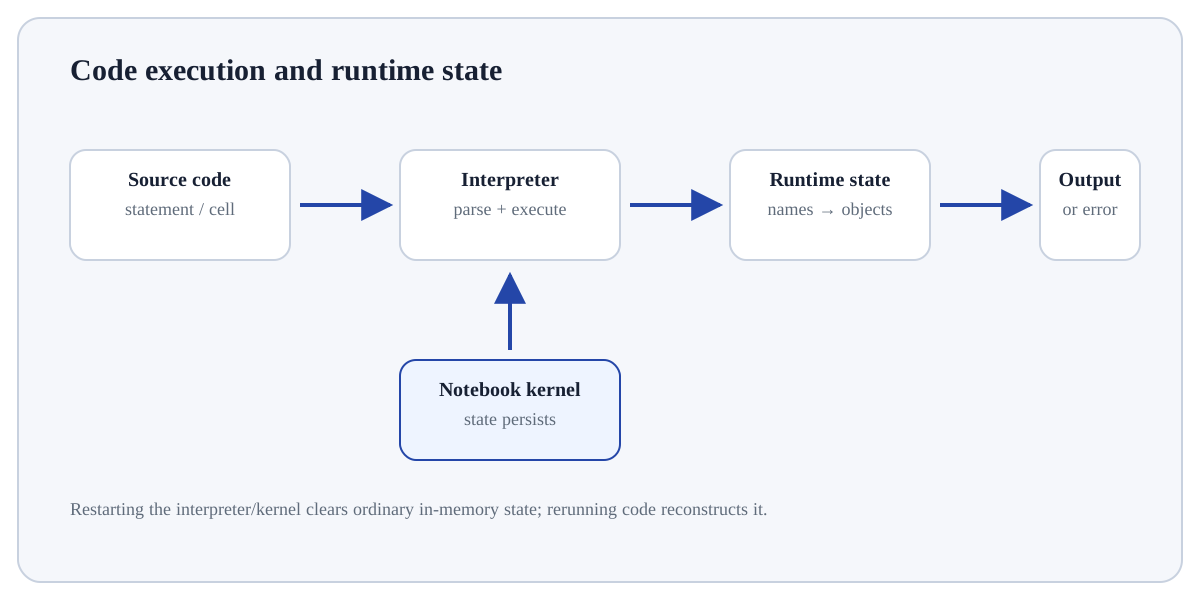
A Python environment is the specific interpreter plus the packages available to it. Installing Python gives the operating system an interpreter executable; a notebook service adds a browser interface whose kernel points to a particular interpreter. The important question is therefore not only “is Python installed?” but “which Python is executing this code, and which packages belong to it?”
Learning goal: explain why Install Python or Choose a Notebook Environment behaves this way, apply it to a small example, and verify the result independently. Begin by being able to justify this first step: Identify the interpreter with its version and executable path.
Treat this as a sequence of observable decisions rather than one opaque command. Stage 1: Identify the interpreter with its version and executable path. Stage 2: Distinguish the operating-system terminal from the Python prompt. Stage 3: Create a virtual environment when a project needs isolated dependencies. Final checkpoint: Install packages into the same environment that executes the code.
Identify the interpreter with its version and executable path.
Distinguish the operating-system terminal from the Python prompt.
Create a virtual environment when a project needs isolated dependencies.
Identify the interpreter with its version and executable path. This is an input-preparation stage for Install Python or Choose a Notebook Environment. Verify the relevant type, shape, units, keys, missingness or assumptions before later steps depend on them.
# Step 1 — Import the module so its functions/classes are available to the rest of this example.
import sys
# Step 2 — Display the current value explicitly so the result/state can be inspected during execution.
print(sys.version.split()[0])
# Step 3 — Display the current value explicitly so the result/state can be inspected during execution.
print(sys.executable)The output identifies the Python version and the exact interpreter executable used by the running session.
For Install Python or Choose a Notebook Environment, trace the specific input through the mechanism above and independently verify one returned value, state change or side effect.
InputObjects/values supplied to the operation.StateNames or mutable objects that may change during execution.OutputReturned value, side effect, file, plot or exception to inspect.Use Install Python or Choose a Notebook Environment when it answers a defined question in Getting Started with Python and its inputs/assumptions match the current data or program state.
Reconsider Install Python or Choose a Notebook Environment when the required information is unavailable, the operation would violate a validation/data boundary, or a simpler operation answers the question more transparently.
Construct a tiny example of Install Python or Choose a Notebook Environment. First identify the interpreter with its version and executable path. Then distinguish the operating-system terminal from the Python prompt. Predict the result before execution and explain one boundary or failure case.
Which approach best demonstrates understanding of Install Python or Choose a Notebook Environment?
Step 1Identify the interpreter with its version and executable path.Step 2Distinguish the operating-system terminal from the Python prompt.Step 3Create a virtual environment when a project needs isolated dependencies.Step 4In a notebook, verify which kernel/interpreter the notebook is using.