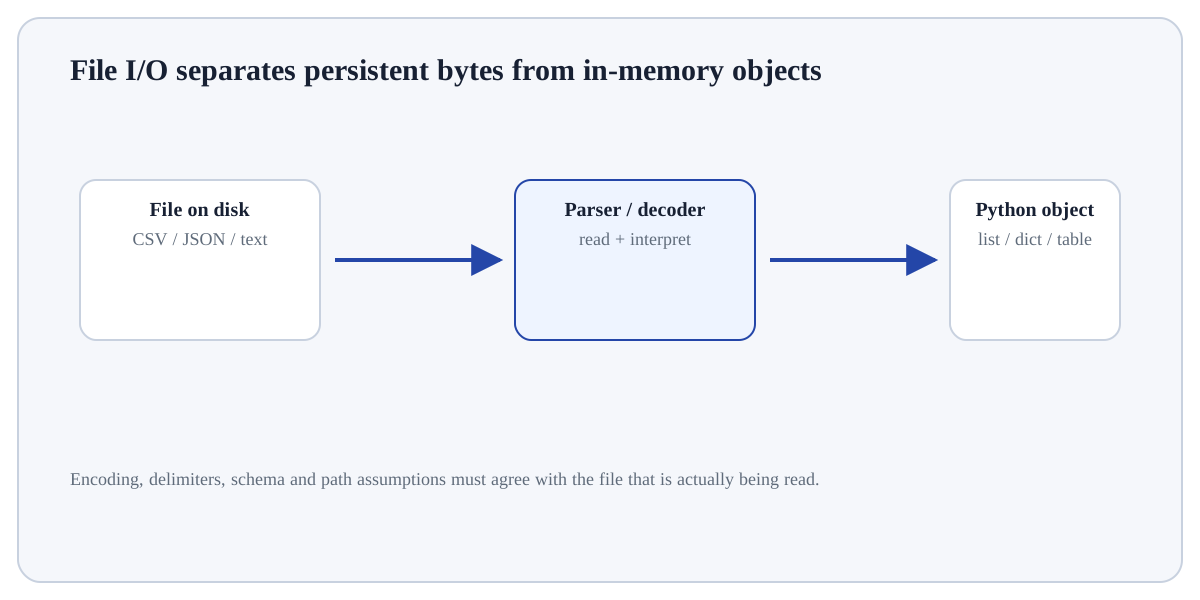
Reading a text file converts encoded bytes on disk into Python Unicode strings.
ConceptWorked examplePracticeKnowledge check
Textbook walkthrough
Read a Text File
Reading a text file converts encoded bytes on disk into Python Unicode strings. The path identifies the file, the encoding defines how bytes map to characters, and the reading method determines whether you receive the whole file, lines or streamed chunks. A context manager ensures the file handle is closed even if an error occurs.
Learning goal: explain why Read a Text File behaves this way, apply it to a small example, and verify the result independently. Begin by being able to justify this first step: Resolve the path deliberately, preferably with pathlib.
Deeper walkthrough
Read Read a Text File as a mechanism, not a recipe
Treat this as a sequence of observable decisions rather than one opaque command. Stage 1: Resolve the path deliberately, preferably with pathlib. Stage 2: Open in text read mode with an explicit encoding such as UTF-8. Stage 3: Use read() for small complete text, iteration/readline for streaming, or read_text for concise pathlib access. Final checkpoint: Verify line endings and content before parsing the text further.
Mechanism
Follow the transformation
Resolve the path deliberately, preferably with pathlib.
Open in text read mode with an explicit encoding such as UTF-8.
Use read() for small complete text, iteration/readline for streaming, or read_text for concise pathlib access.
Evidence
Know what would convince you
Trace a tiny input by hand and compare the runtime result.
Inspect type, value/shape and any mutation/side effect explicitly.
Useful distinctionInput: Objects/values supplied to the operation.
Visual demonstration: use the diagram to trace the main objects and state changes involved in Read a Text File.
Click a stage to inspect what happens, what changes, and what should be checked before moving on.
Stage 1
Resolve the path deliberately
Resolve the path deliberately, preferably with pathlib. For Read a Text File, identify the exact state before this stage, the operation or rule applied here, and the observable state afterwards so the mechanism remains inspectable.
State focus: identify exactly what changed at this stage and what observable evidence confirms that change.
How it works
Trace the mechanism step by step
Resolve the path deliberately, preferably with pathlib.
Open in text read mode with an explicit encoding such as UTF-8.
Use read() for small complete text, iteration/readline for streaming, or read_text for concise pathlib access.
Handle missing files or malformed encoding according to the application contract.
Verify line endings and content before parsing the text further.
Worked demonstration
Read UTF-8 text
# Step 1 — Import only the named objects needed by the following steps, keeping dependencies explicit.
from pathlib import Path
# Step 2 — Compute the right-hand expression and store its result in `path` for the next step.
path = Path("notes.txt")
# text = path.read_text(encoding="utf-8")
# print(text)
Expected / illustrative result
Path.read_text opens, reads and closes the file; in a real run the printed string is the decoded content of notes.txt.
Interpret the result.
For Read a Text File, trace the specific input through the mechanism above and independently verify one returned value, state change or side effect.
Distinctions & related ideas
Place the concept correctly
InputObjects/values supplied to the operation.
StateNames or mutable objects that may change during execution.
OutputReturned value, side effect, file, plot or exception to inspect.
Use deliberately
When it is appropriate
Use Read a Text File when it answers a defined question in Files & Data Formats and its inputs/assumptions match the current data or program state.
Boundary conditions
When to stop or reconsider
Reconsider Read a Text File when the required information is unavailable, the operation would violate a validation/data boundary, or a simpler operation answers the question more transparently.
Common mistakes
Failure modes to recognise
Running the operation on the wrong object/type or in the wrong environment.
Inferring correctness from “no exception” without checking the produced value/state.
Hiding a boundary case instead of making its behaviour explicit.
Verification
How to check the result
Trace a tiny input by hand and compare the runtime result.
Inspect type, value/shape and any mutation/side effect explicitly.
Run an edge or invalid case and confirm the exception/behaviour is deliberate.
Hands-on practice
Demonstrate understanding
Try this:
Construct a tiny example of Read a Text File. First resolve the path deliberately, preferably with pathlib. Then open in text read mode with an explicit encoding such as UTF-8. Predict the result before execution and explain one boundary or failure case.
Use one tiny file or module with an explicit path/encoding/environment. Validate it by loading or importing it again.
Knowledge check
Check reasoning, not memorisation
Which approach best demonstrates understanding of Read a Text File?
Quick reference
Remember the logic
Step 1Resolve the path deliberately, preferably with pathlib.
Step 2Open in text read mode with an explicit encoding such as UTF-8.
Step 3Use read() for small complete text, iteration/readline for streaming, or read_text for concise pathlib access.
Step 4Handle missing files or malformed encoding according to the application contract.
Lesson summary
What to remember
Reading a text file converts encoded bytes on disk into Python Unicode strings. The path identifies the file, the encoding defines how bytes map to characters, and the reading method determines whether you receive the whole file, lines or streamed chunks. A context manager ensures the file handle is closed even if an error occurs.
Resolve the path deliberately, preferably with pathlib.
Running the operation on the wrong object/type or in the wrong environment.
Trace a tiny input by hand and compare the runtime result.