
Follow the transformation
Construct the output text first.
Choose the destination path and whether overwrite is allowed.
Write using a declared encoding.
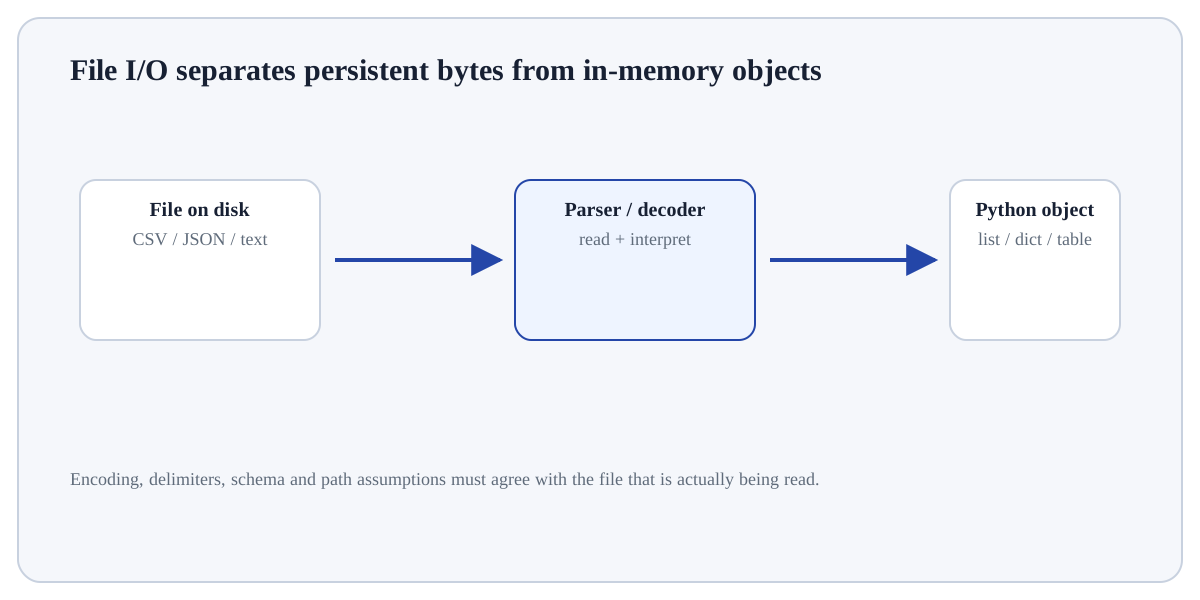
Writing a text file serialises a Python string into encoded bytes and stores them at a path.
Writing a text file serialises a Python string into encoded bytes and stores them at a path. Opening in write mode replaces an existing file, while append mode adds to the end. The program should therefore treat the path, encoding and overwrite policy as part of the operation rather than incidental details.
Learning goal: explain why Write a Text File behaves this way, apply it to a small example, and verify the result independently. Begin by being able to justify this first step: Construct the output text first.
Treat this as a sequence of observable decisions rather than one opaque command. Stage 1: Construct the output text first. Stage 2: Choose the destination path and whether overwrite is allowed. Stage 3: Write using a declared encoding. Final checkpoint: Read the file back or check its existence/size when the export is important.
Construct the output text first.
Choose the destination path and whether overwrite is allowed.
Write using a declared encoding.
Construct the output text first. Treat the output from Write a Text File as evidence to inspect: confirm its type, shape, range or units and connect it back to the input that produced it.
# Step 1 — Import only the named objects needed by the following steps, keeping dependencies explicit.
from pathlib import Path
# Step 2 — Compute the right-hand expression and store its result in `path` for the next step.
path = Path("summary.txt")
# Step 3 — Execute this statement and inspect how it changes the current value, object or program state.
path.write_text("records=3\nstatus=ok\n", encoding="utf-8")
# Step 4 — Display the current value explicitly so the result/state can be inspected during execution.
print(path.read_text(encoding="utf-8"))The second read verifies the persisted content rather than assuming the write succeeded.
For Write a Text File, trace the specific input through the mechanism above and independently verify one returned value, state change or side effect.
InputObjects/values supplied to the operation.StateNames or mutable objects that may change during execution.OutputReturned value, side effect, file, plot or exception to inspect.Use Write a Text File when it answers a defined question in Files & Data Formats and its inputs/assumptions match the current data or program state.
Reconsider Write a Text File when the required information is unavailable, the operation would violate a validation/data boundary, or a simpler operation answers the question more transparently.
Construct a tiny example of Write a Text File. First construct the output text first. Then choose the destination path and whether overwrite is allowed. Predict the result before execution and explain one boundary or failure case.
Which approach best demonstrates understanding of Write a Text File?
Step 1Construct the output text first.Step 2Choose the destination path and whether overwrite is allowed.Step 3Write using a declared encoding.Step 4Use a context manager or pathlib helper so the handle is closed.